Won't Auto Organize from some locations

Get answers about using MediaMonkey 4 for Windows.

Moderator: Gurus

dps
Posts: 74
Joined: Tue Jun 12, 2007 4:25 pm

Won't Auto Organize from some locations

Post by dps »

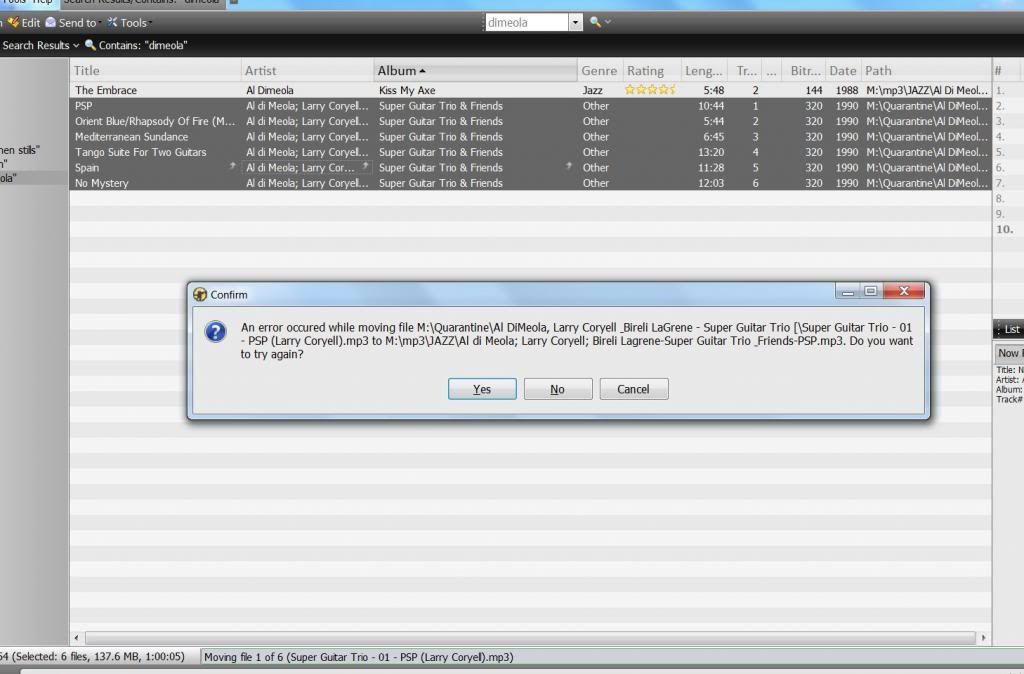
Image

Hi,

I can't figure out what's happening when I try to move files from one location to another using Auto Organize. It works fine, for example, when moving a song from my Desktop onto my external drive, but won't let me change from a folder called "Quarantine" into a different folder on the same external drive "M". Also, when I "Cancel" the operation, MM can be seen analyzing the volume on the "new" tracks. So if I hit "Try Again" twice, it will make it look like it is analyzing the volume on that track 2 times and putting it somewhere.

I don't understand it; can anyone help?

Thanks!
Lowlander
Posts: 59414
Joined: Sat Sep 06, 2003 5:53 pm

Re: Won't Auto Organize from some locations

Post by Lowlander »

Could the folder and filename combo be too long?
BKKKPewsey
Posts: 361
Joined: Sun Jun 05, 2011 10:45 am
Location: United Kingdom

Re: Won't Auto Organize from some locations

Post by BKKKPewsey »

Check the files in that folder and make sure they are not set for read only.
(Right click and and then properties)

:)
Everyone has the right to be stupid Image but some abuse the privilege
dps
Posts: 74
Joined: Tue Jun 12, 2007 4:25 pm

Re: Won't Auto Organize from some locations

Post by dps »

They WERE set for Read Only, I unchecked it, a progress window showed it applying to all subfolders etc. Tried MM again, no luck. Went back to folder and its Properties and Read Only was once again checked. Unchecked it went through the whole procedure again, and yet again. For some reason that folder does not want to stay unchecked. Drilled down a level to the folder containing the album, it was still checked, un-checked it, tried MM again, no luck.

But maybe this is a problem with my computer then, not MM?
dps
Posts: 74
Joined: Tue Jun 12, 2007 4:25 pm

Re: Won't Auto Organize from some locations

Post by dps »

Figured it out, thanks for pointing me in the right direction! Apparently needed to also un-check some sort of network privacy settings. Thanks again!
Post Reply